Search Cranberry
How to Fix the 10 Most Common Smart Home Issues
A Comprehensive Guide
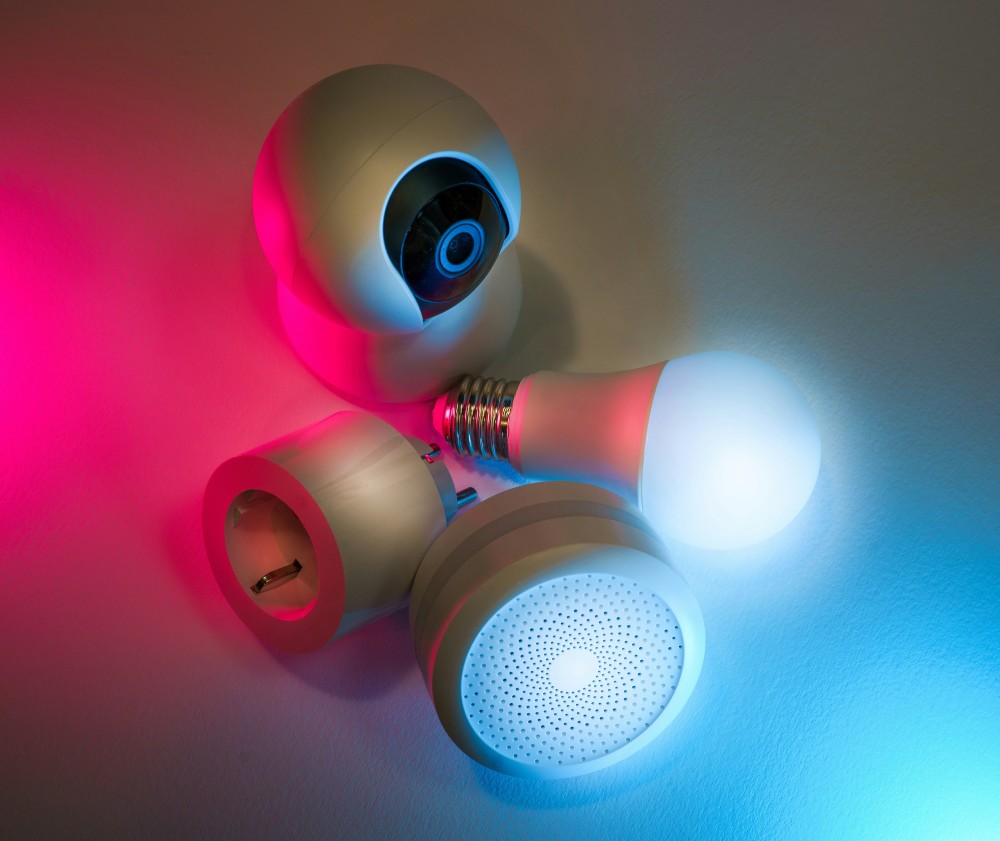

As a child, the concept of living in a "smart home" may have seemed like a far-off, futuristic idea straight out of a sci-fi movie like Back to the Future. Despite not having flying cars, we now have video telephones, smart refrigerators, and voice-activated lights.
However, even the most cutting-edge technology isn't immune to traditional problems. Weak passwords can be exploited by hackers, and even the most advanced systems can revert to basic functionality due to poor connections.
Have you encountered any issues with your smart home devices? Don't worry, we've got you covered when it comes to troubleshooting common smart home problems. Here are some of the most common issues, along with straightforward steps to get your smart haven back on track.
1. Troubleshooting Smart Device Connectivity
Do you find it frustrating when your smart devices won't connect to Wi-Fi? One of the primary benefits of smart gadgets is their wireless connectivity. Additionally, a stable internet connection is crucial for integrating multiple devices into a smart home hub.
When faced with connection issues, it's best to start with the basics. Begin by restarting your router and all the devices. If this doesn't resolve the problem, consider repositioning your router centrally to ensure optimal signal strength. For larger houses, a mesh network or a Wi-Fi extender could provide better coverage.
2. Dealing with Unresponsive Devices
With the rise of voice-activated devices, it's disappointing when they fail to respond to their “wake word.” If you encounter issues with your smart devices being unresponsive, a simple power cycle (turning them off and on) might do the trick.
It's also essential to check for software updates on your devices and their respective apps to fix bugs and enhance performance.
3. Prolonging Battery Life
Battery-powered smart devices often suffer from quick battery drain. To mitigate this, consider adjusting settings to reduce power consumption and disabling unused features like notification lights and constant background updates. Furthermore, using high-quality batteries can optimise the device's performance.
4. Addressing Compatibility Concerns
Not all smart devices are compatible with one another, despite being labelled as “smart.” To avoid compatibility issues, thoroughly review the manufacturer's specifications before making a purchase. It's also crucial to build your devices around your smart home platform to ensure seamless interaction.
5. Prioritising Security
Ensuring security in a smart home is of utmost importance, given the potential risks associated with hacked devices. To safeguard your devices, use strong and unique passwords for all your devices and accounts and enable two-factor authentication whenever possible. Additionally, keep all devices and apps updated with the latest security patches.
Some additional security tips for smart devices include changing the default device name on your network to something generic, using a separate “guest” network for smart devices, and turning off unnecessary sharing features often enabled by default.
6. Resolving App Issues
Encountering sporadic problems or intermittent bugs in smart device apps can be frustrating. To address such issues, check for available app updates and install them.
If problems persist, try logging out and back in to refresh the connection, and if the issues continue, consider uninstalling and reinstalling the app.
7. Troubleshooting Automation
Home automation can be incredibly convenient, but issues can arise. It’s essential to review your automation rules and ensure they’re configured correctly. Test each one individually to pinpoint any faulty triggers or actions.
8. Range Limitations
Certain smart devices operate within a limited range. Refer to the manufacturer's guide to understand these limitations. If communication is an issue, consider relocating your devices closer to the hub or router. Utilising repeaters or extenders can also help overcome distance-related issues.
9. Dealing with Ghost Activity
Have you ever experienced your smart lights turning on or off unexpectedly?
This could be due to accidental voice commands, faulty sensors, forgotten scheduled automations, or even a compromised device.
Review your automation settings and disable any unnecessary ones. Investigate whether your devices are picking up unintended voice commands from other sources. In addition, change your passwords and be vigilant for any security breaches.
10. Coping with Complexity
Juggling multiple smart devices can be overwhelming. Don’t hesitate to refer to your device manuals and online resources for guidance. If needed, seek assistance from our IT experts for tailored troubleshooting steps.
Looking to Secure Your Smart Home?
A smart home should simplify your life, not complicate it. These straightforward solutions can help you resolve common issues.